MXAW Site-Wide Audio Widget v1.8

$23.00

Outline:

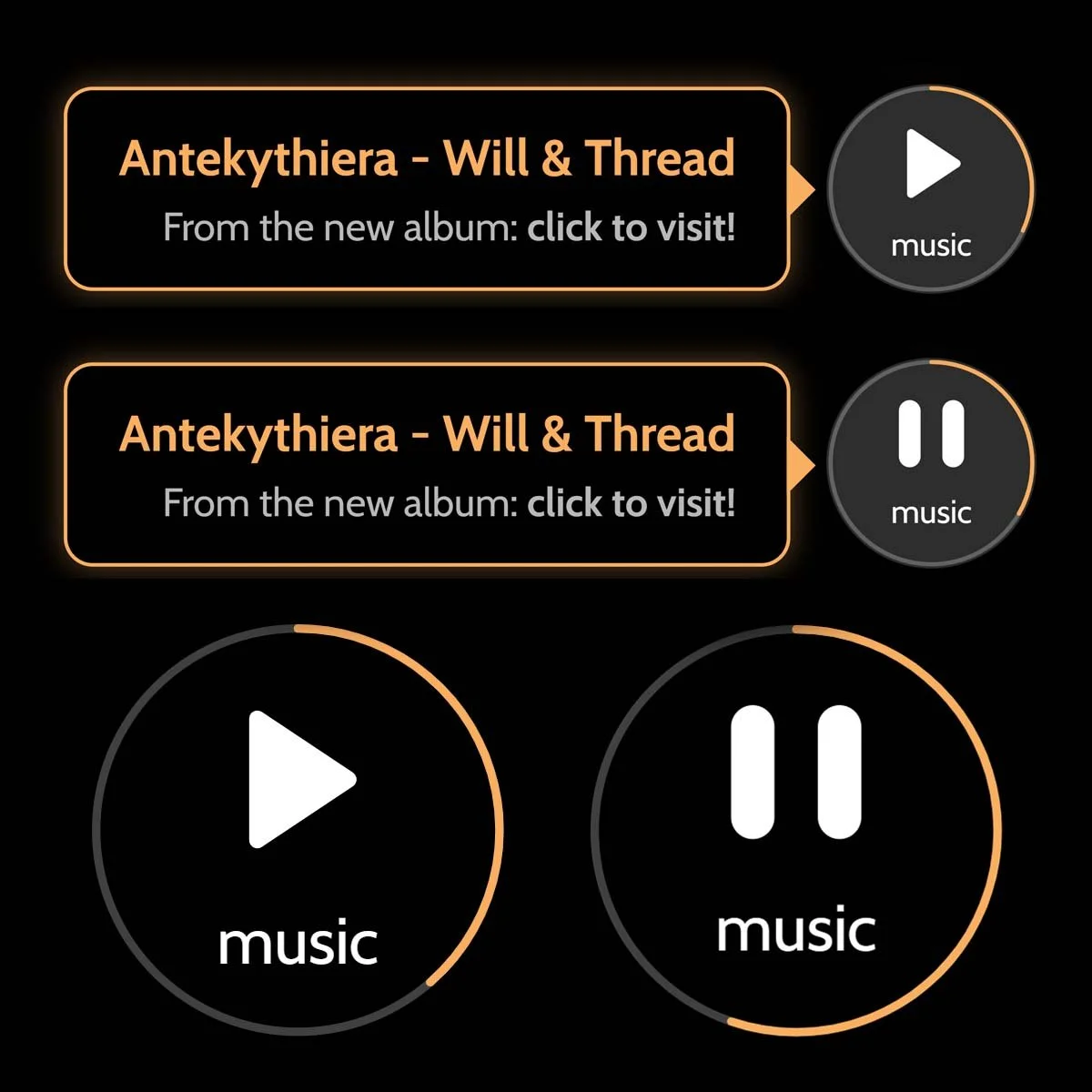
This is a simple circular audio widget designed to play a single audio track (could be a demo for an album, mood music, or a podcast, etc.). Hovering/Tapping opens a tool tip with song details and HTML capability to include a link, etc. Player does skip slightly between page changes but picks up right where it left off, and especially, it remembers where it was even after the user has left the site. Progress ‘Bar’ is a circular stroke that travels around the border of the circular icon and completes when the song is done.

Click/tap to play/pause. It’s that simple!

Compatibility & Limitations:

Squarespace 7.1, and should work for other platforms that allow you to paste code into the header/footer. Ideally, this goes in the footer. Have it shows on a single page by simply inserting the code on that particular pages’ header/footer.

Scroll Down for Features, Instructions & Live Demo▼

Outline:

This is a simple circular audio widget designed to play a single audio track (could be a demo for an album, mood music, or a podcast, etc.). Hovering/Tapping opens a tool tip with song details and HTML capability to include a link, etc. Player does skip slightly between page changes but picks up right where it left off, and especially, it remembers where it was even after the user has left the site. Progress ‘Bar’ is a circular stroke that travels around the border of the circular icon and completes when the song is done.

Click/tap to play/pause. It’s that simple!

Compatibility & Limitations:

Squarespace 7.1, and should work for other platforms that allow you to paste code into the header/footer. Ideally, this goes in the footer. Have it shows on a single page by simply inserting the code on that particular pages’ header/footer.

Scroll Down for Features, Instructions & Live Demo▼

MX Floating Audio Guide

MX FLOATING AUDIO v1.7

A persistent, site-wide audio companion. Features cross-tab synchronization, responsive placement controls, and customizable aesthetics.

:: Core Functionality

State Persistence: Uses localStorage to store audio progress. This allows the player to remember its position across page refreshes and ensures the track continues to play even when the phone screen is turned off or the browser tab enters sleep mode.
Cross-Tab Sync: A BroadcastChannel named site_audio_sync instantly communicates playback state changes across all open browser tabs to prevent audio overlap.
Gesture-Controlled: A specialized listener distinguishes between a Single Tap (Play/Pause) and a Double Tap (Instant reset to 00:00).

:: Configuration

We’ve structured the CSS :root and JS Configuration blocks to be easily accessible at the top of the code.

CSS Aesthetic & Positioning

  • --widget-accent: Controls the color of the Progress Ring, Tooltip borders, and Titles.
  • --widget-font: Sets the typography for the entire widget and tooltip.
  • --pos-v & --pos-h: Adjust these to set the distance from the screen edge.

JS Operational Settings

  • TRACK_URL: Direct path to your hosted MP3 file.
  • TRACK_TITLE & TRACK_SUBTITLE: Content for your tooltip.
  • TOOLTIP_LINK: The destination for the tooltip call-to-action.
  • HIDE_ON_MOBILE: Boolean (true/false) to control mobile visibility.

:: Installation & Technicals

For a sitewide experience, paste the entire script into your site's Footer code injection. To limit the widget to a single page, place the script inside that specific page's Header or Footer injection settings.

Look to the bottom right of this screen to see/try live demo!

MX FLOATING AUDIO v1.7 · Copyright Lucas Gaudette.
PART OF THE MATRIARX UNIVERSE